How to Automate Sentry Issue Triage with AI
Build an AI agent that triages Sentry issues, decides what matters, creates tickets, and posts a summary to Slack. For ~$0.11/run

If you are a product manager or an engineer, most likely you are using something like Sentry to monitor your application issues. And while Sentry works great (it accumulates lots of issues), I don't think there is a sane person on this planet who wants to sift through hundreds of them.
But you can't just ignore them. I learned it the hard way — our app went down, and my boss was the first to learn about it (not me).
When I tried to instate a weekly Sentry triage process in the team, it was met with "overwhelming enthusiasm" from my team and a good ol' "What tasks do we drop to build this?" So I started thinking — why hasn't anyone built an AI that monitors our Sentry, pulls source code for context, checks logs and metrics, and tells us what actually matters?
Now I have one. An AI agent that monitors Sentry, has read-only access to source code, can pull in logs from Cloudflare, updates Linear issues with the results, and posts a summary to Slack.
Let me show you how to build it.
AI is not all you need
It's tempting to throw a single all-powerful AI agent at this. But that's how you get hallucinated severity ratings and Slack messages sent to your CEO at 3am.
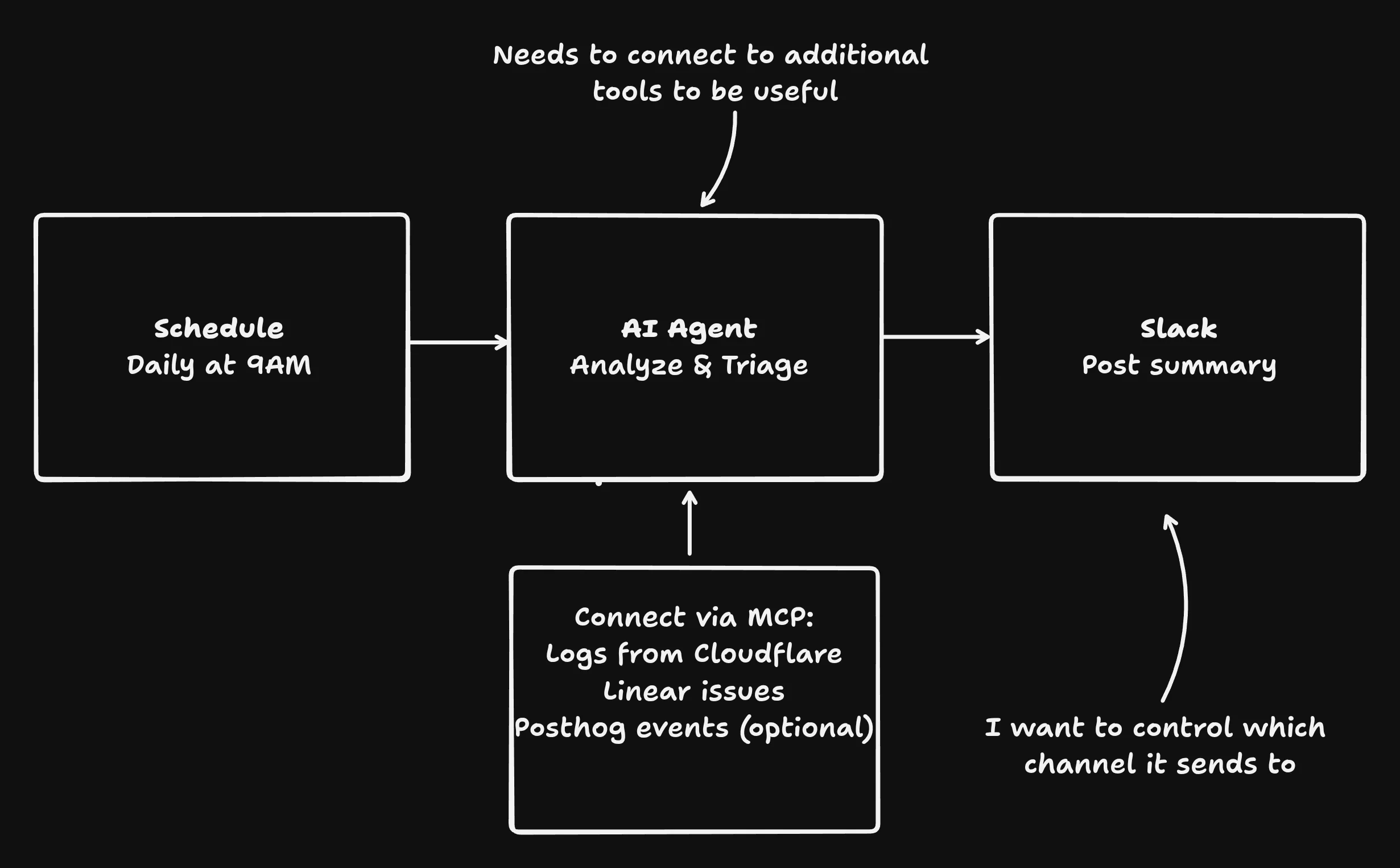
Instead, break the problem into steps where AI only handles the parts that actually need reasoning:
- Schedule trigger — run every morning at 9am. No AI needed, just a cron.
- AI agent — pull unresolved Sentry issues and analyze each one. To make the analysis useful, give the agent read-only access to your Cloudflare logs, source code, and PostHog analytics. More context means better triage.
- Slack action — post a summary to your dev channel. Not a full Slack integration where the agent can DM anyone. Just one action: send a message to #engineering.
AI handles the thinking: querying issues, reading logs, deciding severity. Everything else is a deterministic action that runs the same way every time.
Describe what you want, the copilot builds it. You review and deploy. Try it →
One prompt to build it
All you need to start is something like this:
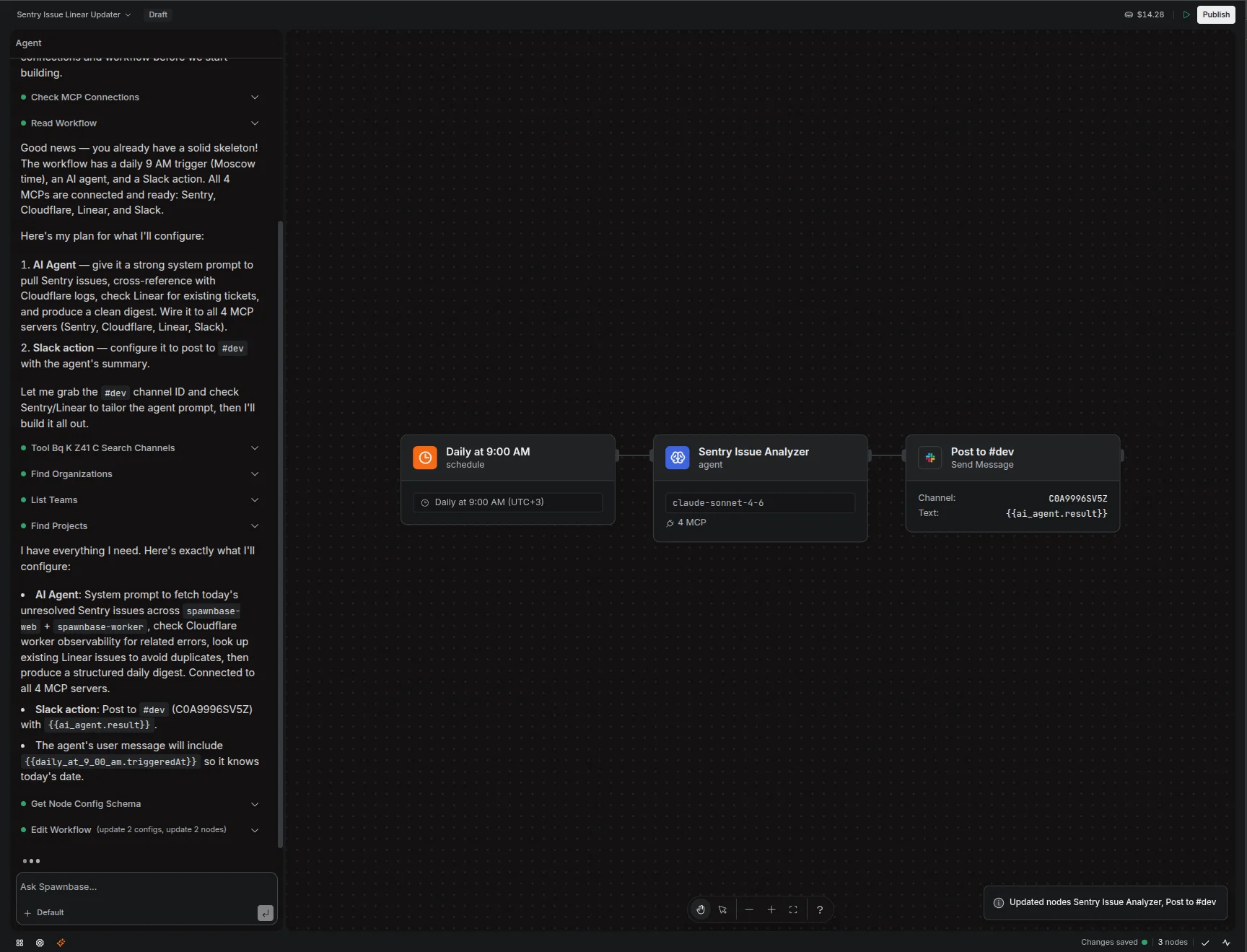
"Every morning at 9am, pull unresolved Sentry issues from the last 24 hours. Analyze each one for severity and root cause. Create Linear tickets for real bugs. Post a summary to #dev in Slack."
The copilot thinks through what you want to achieve and, more importantly, what tools it needs to get there. It connects Sentry, Linear, and Slack via MCP, configures the AI agent with the right prompt and model, and builds the workflow on a visual canvas. You review each node, test it, deploy.
What it actually costs
Let's do the math. 200 issues/day, ~85K input tokens (issues + logs + source context), ~10K output tokens (triage decisions + summary).
| Option | Per run | Monthly | |
|---|---|---|---|
| Haiku / Flash | $0.11 | $3.31 | Good enough for triage |
| Sonnet 4.6 | $0.41 | $12.42 | Better reasoning |
| Opus 4.6 | $2.07 | $62.10 | Overkill, but it works |
| Sentry Seer | — | $40/contributor | Team of 5 = $200 |
| Engineer doing it | — | Never happens | Let's be honest |
MCP calls to Sentry, Linear, and Slack cost $0 — they're plain API calls, no AI. That's the point: don't use AI where you don't need it. Use the right tool for the job.
$3/month with Haiku vs $40+/month for Seer. Versus the triage that never happens. Try it free →
What you get
Once the agent is live, you get a fresh summary every morning of issues you would have otherwise missed.
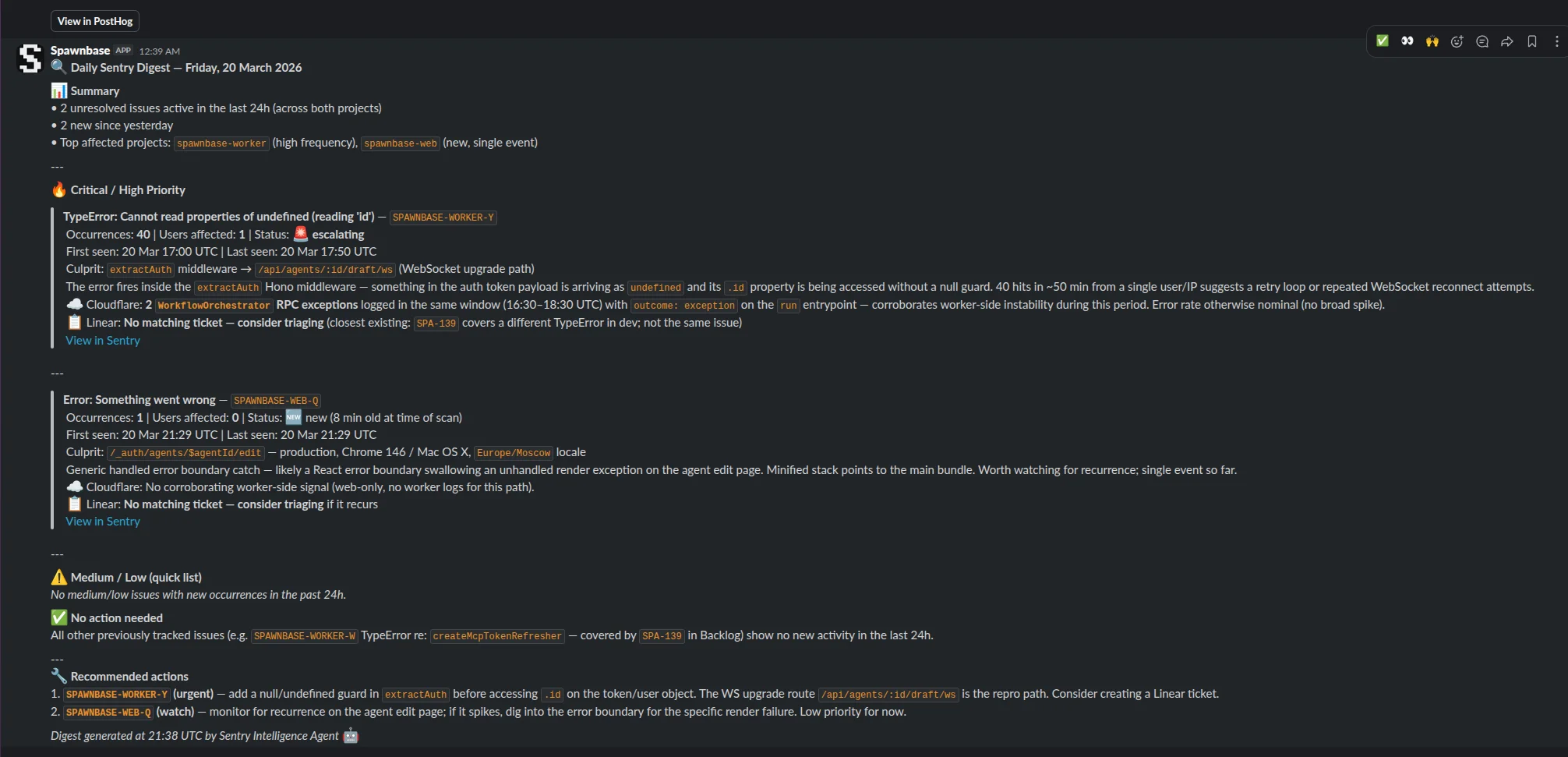
No more waiting for something critical to slip through. No more "did anyone look at that alert?" The agent did the triage. You decide what to fix.
Build this agent in 5 minutes
Connect your Sentry, tell the copilot what to automate. Free credits on signup.
Start building →